
Volunteer guide to booking on FarFrom
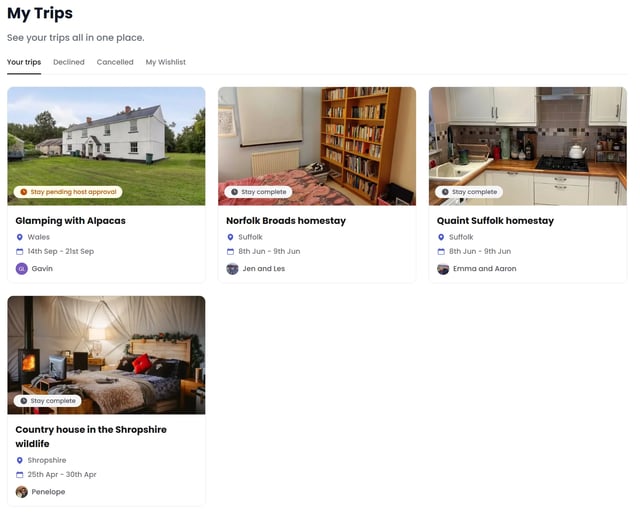
Now that you've found a host you like. Here's what happens next
So you've browsed the listings, read the reviews, looked at the photos, and found a property that genuinely appeals to you. Now you have two options: message the host with questions, or go straight to requesting a booking with specific dates.
Messaging a host
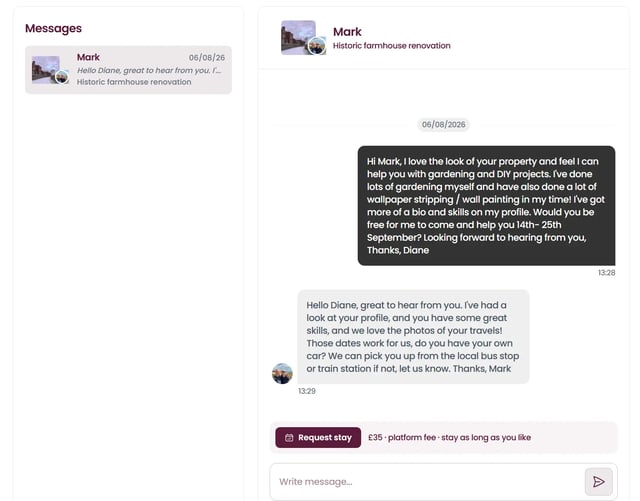
If you're not completely sure, or you want to ask something before committing, message the host. Click the message button on their listing. This opens a message thread between you and them. Your message goes to their inbox, and they'll get a notification. You'll be notified by email when they reply. This is where you can ask about the help and accommodation in more detail, talk about what time of year works for you, or check whether they can accommodate something specific. Most hosts reply within 24 hours. It's a good way to get a feel for someone before you book.
Requesting a booking
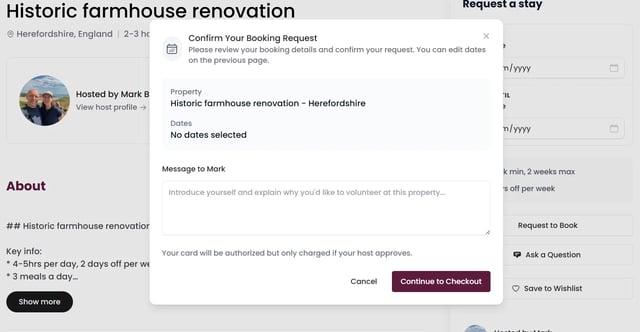
When you're ready to book, press "Request to book" on a hosts listing, or the button within your inbox conversation with the host. Select your check-in and check-out dates:
Paying for your stay
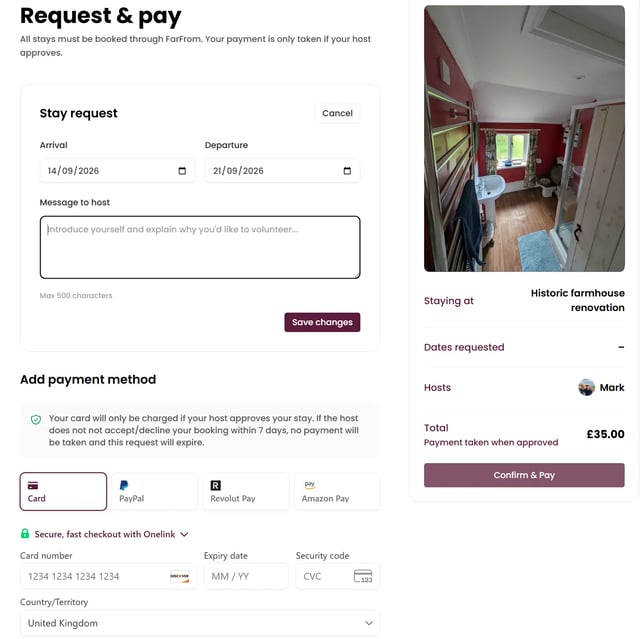
This is where the booking fee comes into play. For a single person, the fee is £35 per stay. If you have a dual profile (you and a travel companion staying together), it's £45 for both of you. This fee gives you access to all the properties on the platform and supports the infrastructure that keeps FarFrom running. It's taken at the point you request the booking, but here's the key: the host has to accept first. Your payment won't be charged until they confirm they want you to come. You can see the fee clearly displayed on the checkout page before you confirm anything.
The 7-day acceptance window
Once you've submitted your booking request, the host has up to 7 days to accept or decline. During this time, they might reach out to you to chat. Some hosts arrange a FaceTime call or phone conversation to make sure you're a good fit for what they need and to sort out the practical details: how you're planning to get there, what time you'll arrive, what to bring, parking, that sort of thing. It's completely normal and actually useful. You'll both feel more confident about the arrangement. If the host doesn't respond within 7 days, your booking request expires and the fee isn't charged.
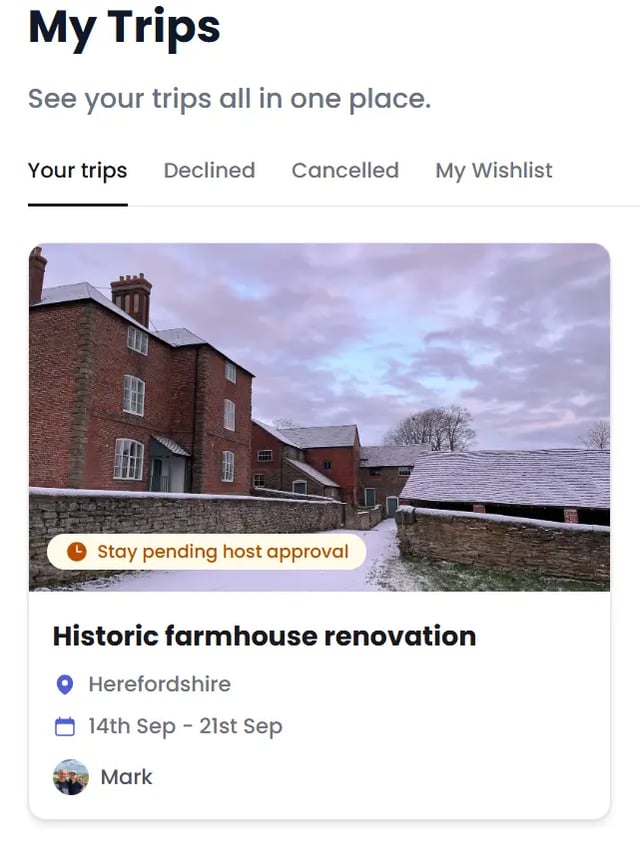
Booking confirmed
Once the host accepts, two things happen: your booking moves to confirmed status, and the payment is taken from your account. You'll get an email confirming everything. From that point on, you can see the booking in your bookings section, alongside any pending requests and your past stays. You'll have the host's contact details, the full address, and all the information you need to prepare.
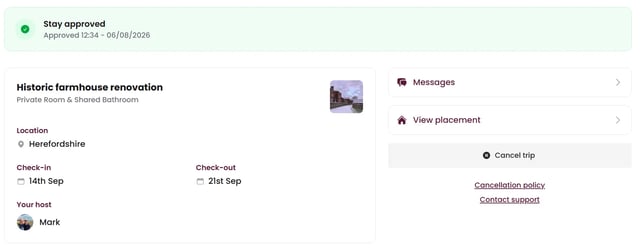
Why bookings must happen on FarFrom
Volunteers who arrange stays off the platform without going through the booking system will have their accounts removed. This sounds strict, but there's a practical reason and the way FarFrom stays running. It covers payment processing, customer support, host verification, and the ongoing work of keeping the platform secure and reliable. When stays happen off-platform, the system breaks. Hosts can't leave reviews, we can't protect either side, and we can't sustain the platform. We're asking for a small, one-time fee per stay so we can keep doing this work.
Ready to find your placement?
Browse available hosts and start your booking at farfromtravel.com/search